
Designing Clarity in 3D: OOUX Insights from User Interaction Patterns
Case Type: OOUX, design process
Tags: Product design , OOUX, Process
The Why
3D environments are powerful — but they can also be overwhelming.

Super Mario 3D World
When every pipe, structure, cable tray, instrument, and pump shares the same space, even a trained engineer can struggle to focus on the right object. That’s why features like Isolate and Highlight exist: they help users remove distractions and focus on what matters.
But during my OOUX discovery work, it became clear that our current implementation wasn’t supporting users the way we thought.
In fact, the interaction model was fighting against how people think about 3D objects, hierarchy, and real-world tasks.
This case study documents what I found — and why we’re rethinking these features from the ground up.

Why Isolate & Highlight Matter
In real industrial workflows, maintenance and inspection teams rely on quick clarity:
- Is this the correct pump?
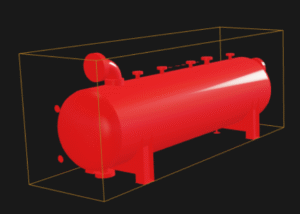
- What is connected to it?
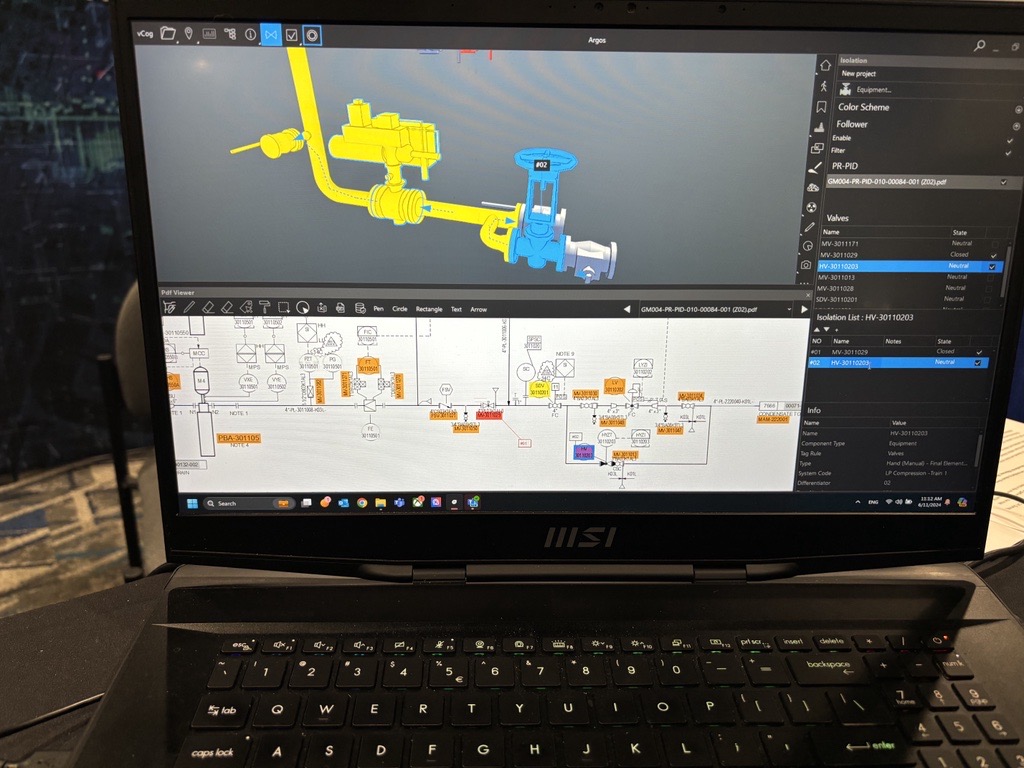
- Can I understand its surrounding?
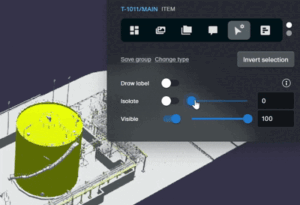
- Can I annotate it safely without hiding critical context?
When isolate/highligh it works well, engineers can troubleshoot in seconds and avoid costly mistakes. When it works poorly, it creates confusion, mistrust, frustration — and repeated steps.
From interviews and user story workshops, one core need emerged clearly:
“I want to isolate a pump and add an annotation, so that I can document an issue without distraction.”
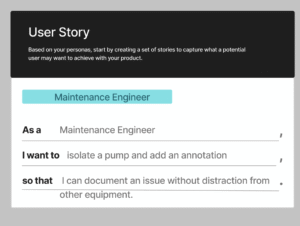
Maintenance engineers don’t care about UI states or 3D rendering tricks. They care about focus, precision, and accuracy. But they often end up struggling with this:
📎 A chaotic 3D scene where a single pump gets lost among thousands of pipes
📎 Unclear feedback whether isolate or highlight is active
📎 Fear of losing annotations or breaking the view
📎 Confusion when highlight, selection, and filters overlap
This was the starting point for OOUX.
What OOUX Helped Reveal
OOUX breaks complexity into clarity by focusing on:
-
Objects (pump, pipe, valve, tag, annotation)
-
Attributes (tag ID, discipline, connected objects)
-
Relationships (“connected to…”, “part of…”)
-
Actions (isolate, highlight, annotate)
Once mapped in the User Story Map, the problems became visible:
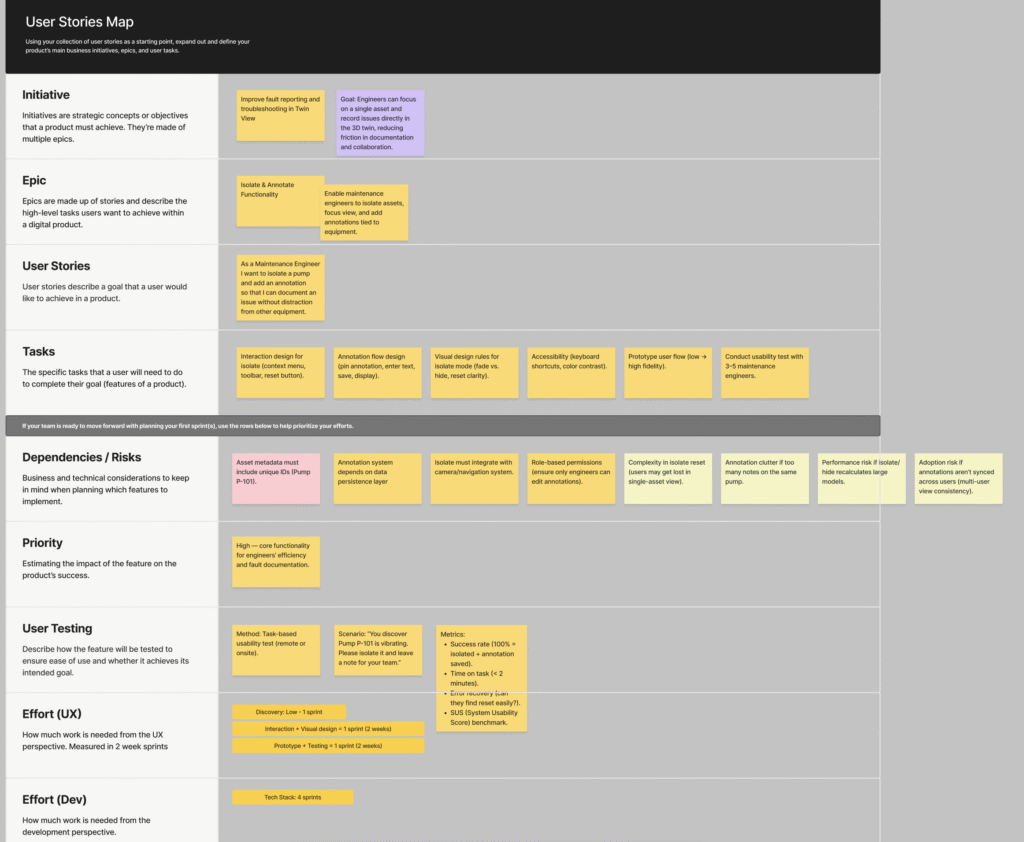
Finding 1 — Users think in real-world objects, not visual states.
But the system thinks in UI states like:
-
Isolated
-
Highlighted
-
Selected
-
Filtered
This mismatch creates confusion.
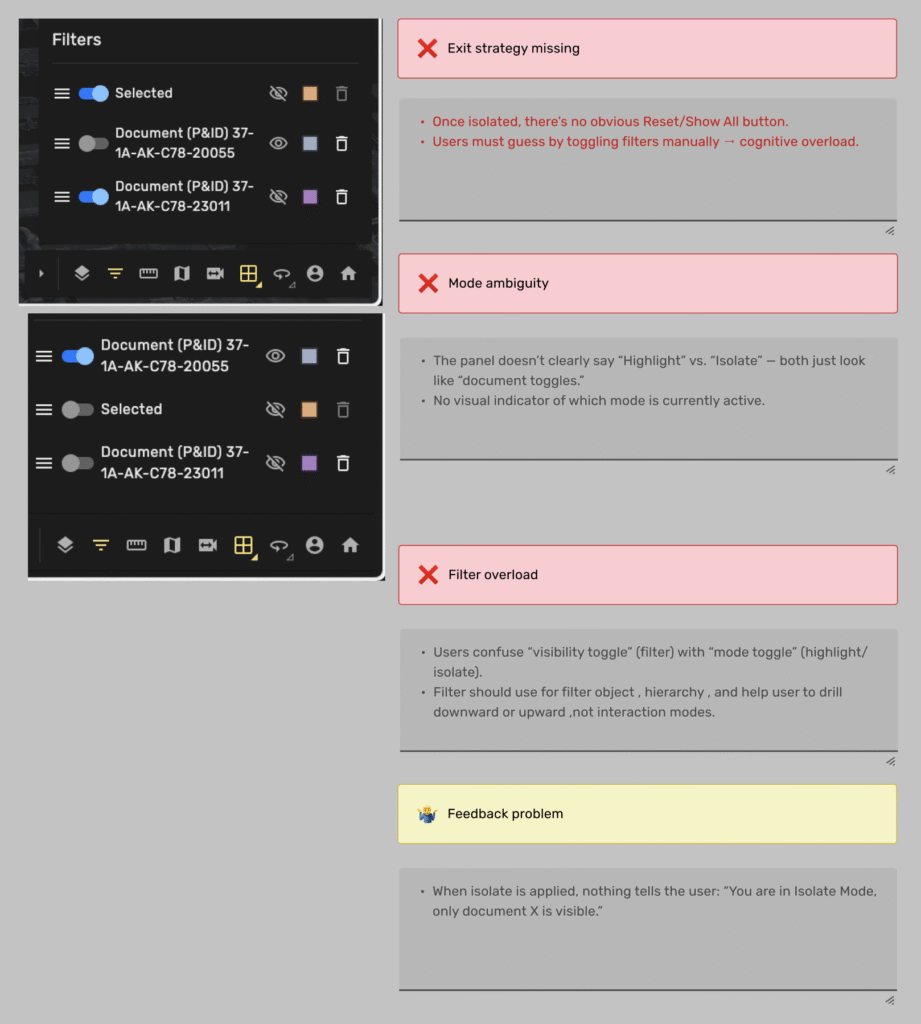
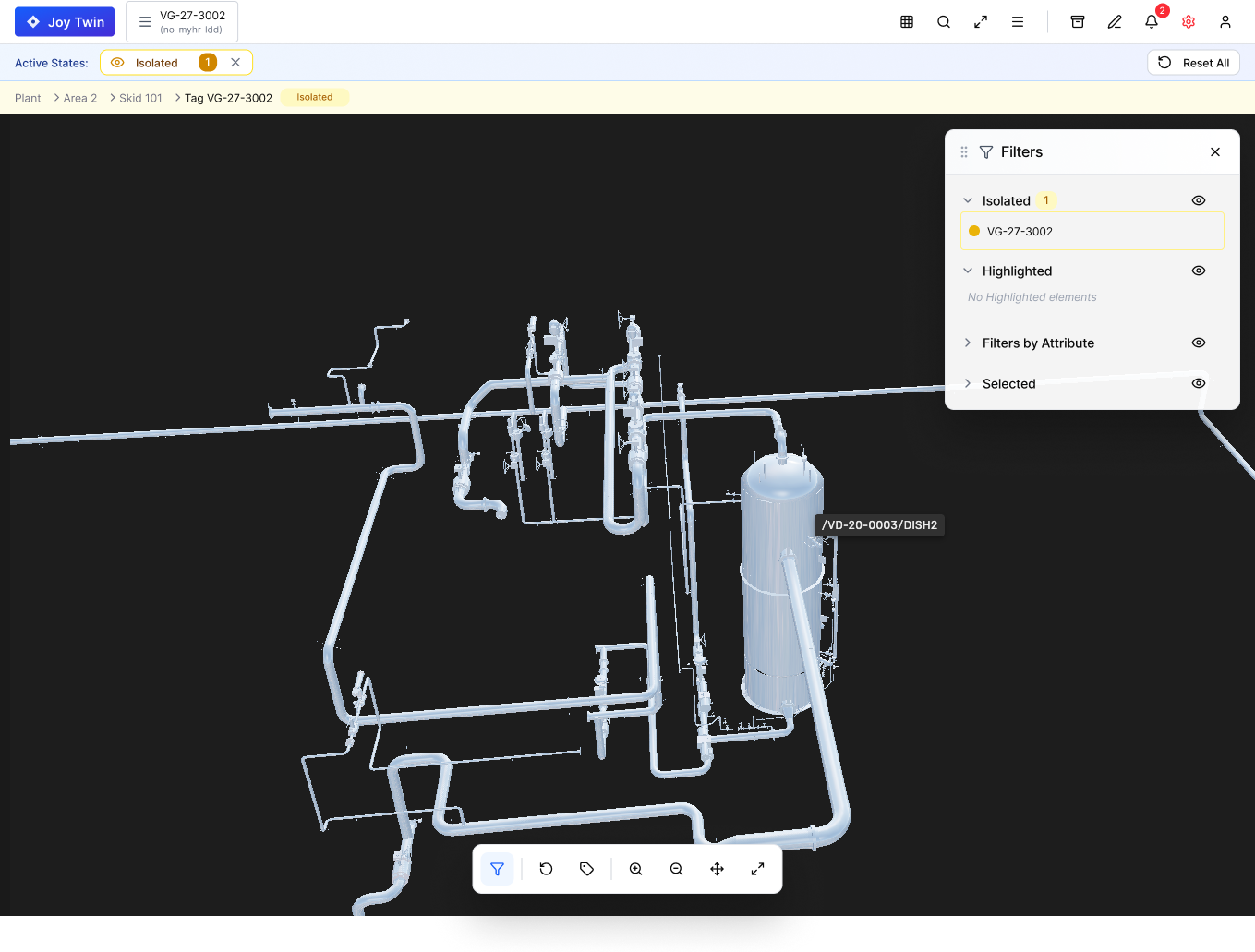
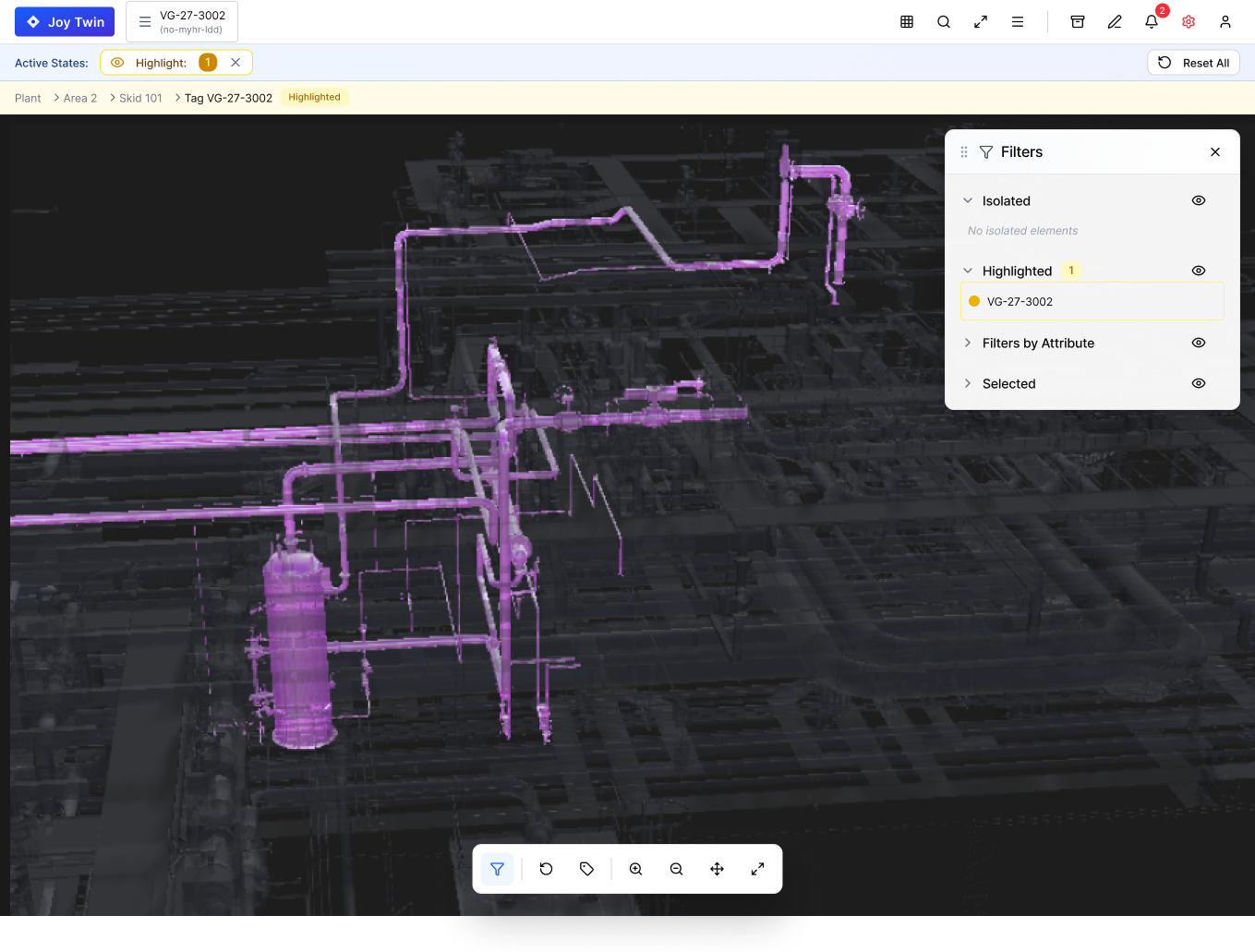
Can you see from this image what triggered isolated, what triggered Highlight? I bet you can NOT!
Finding 2 — Visual state is nearly invisible.
The current UI gives no persistent indication of what’s active.
Users constantly ask:
“Why does everything look grey?”
“Am I still isolating something?”
How do I get out?
“Did I break the model?”
Finding 3 — Isolation behavior does not respect object relationships.
When a pump is isolated, engineers do not want the pipes removed completely.
They need contextual clarity — not “hard hide.”
Finding 4 — Annotation workflow breaks during isolate.
Users fear adding annotations because they don’t trust the state to persist.
Apply OOUX
Noun Foraging: What are the real objects?
We began by identifying every thing that appears in the user’s mental model and in the system:
-
3D assets (equipment, pipes, pumps, structures)
-
Subsystems (packages, skids, process groups)
-
Layers (mechanical, electrical, HVAC, safety, process)
-
Sensor/Tag objects (instrumentation points, IDs)
-
Annotations (notes, markers, warnings)
-
Highlight/Isolate states (UI objects masquerading as visual states)
The excise confirmed something important:
👉 Users think in real objects (equipment and connections), not UI states.
But our feature was built around states instead of objects — creating friction. This mismatch is the root of most usability problems.
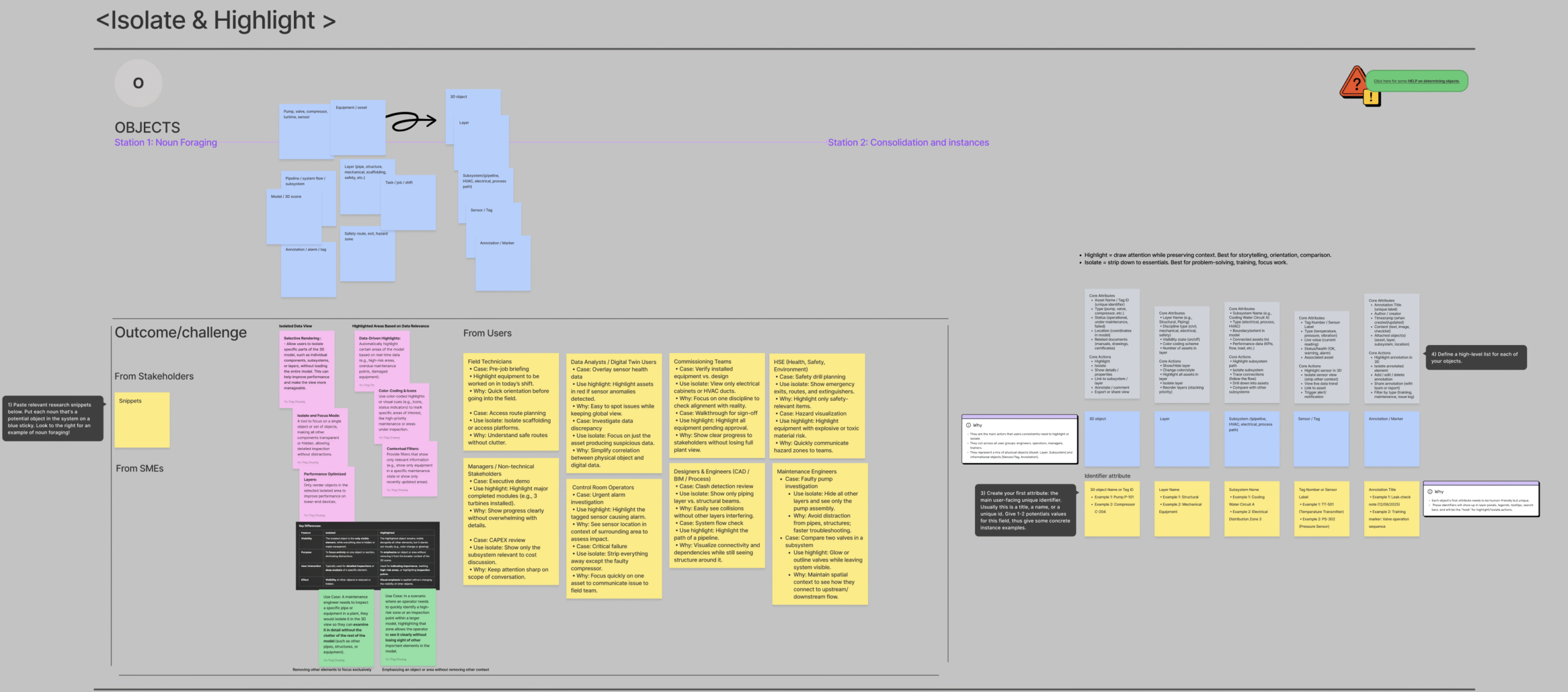
Map out the relationship: How do objects interact?
We mapped cardinalities:
-
A 3D Asset has many connected assets
-
A Layer has many assets
-
A Subsystem has many layers
-
An Annotation belongs to one asset
-
A Highlight state belongs to many assets
-
An Isolate state usually belongs to one asset (but sometimes groups)
This is where we uncovered one of the biggest UX insights:
⚠️ Isolate destroys the user’s mental map when it ignores relationships.
- If I isolate a pump but remove all connected pipes, I lose orientation.
- If I isolate a pipe but remove its supporting structure, I lose context.
- If I highlight a subsystem but hide its parent layer, I lose hierarchy.
So the redesign must support:
-
Parent/child relationships
-
Context preservation
-
Layer-aware behavior
-
Group-aware behavior
This is why ghosting, transparency, and connection mapping are part of the new concept.
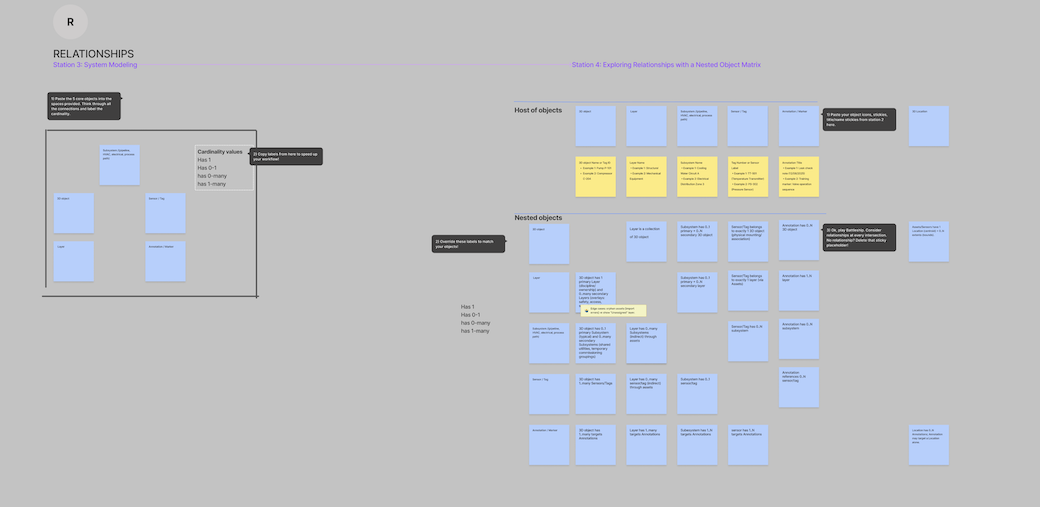
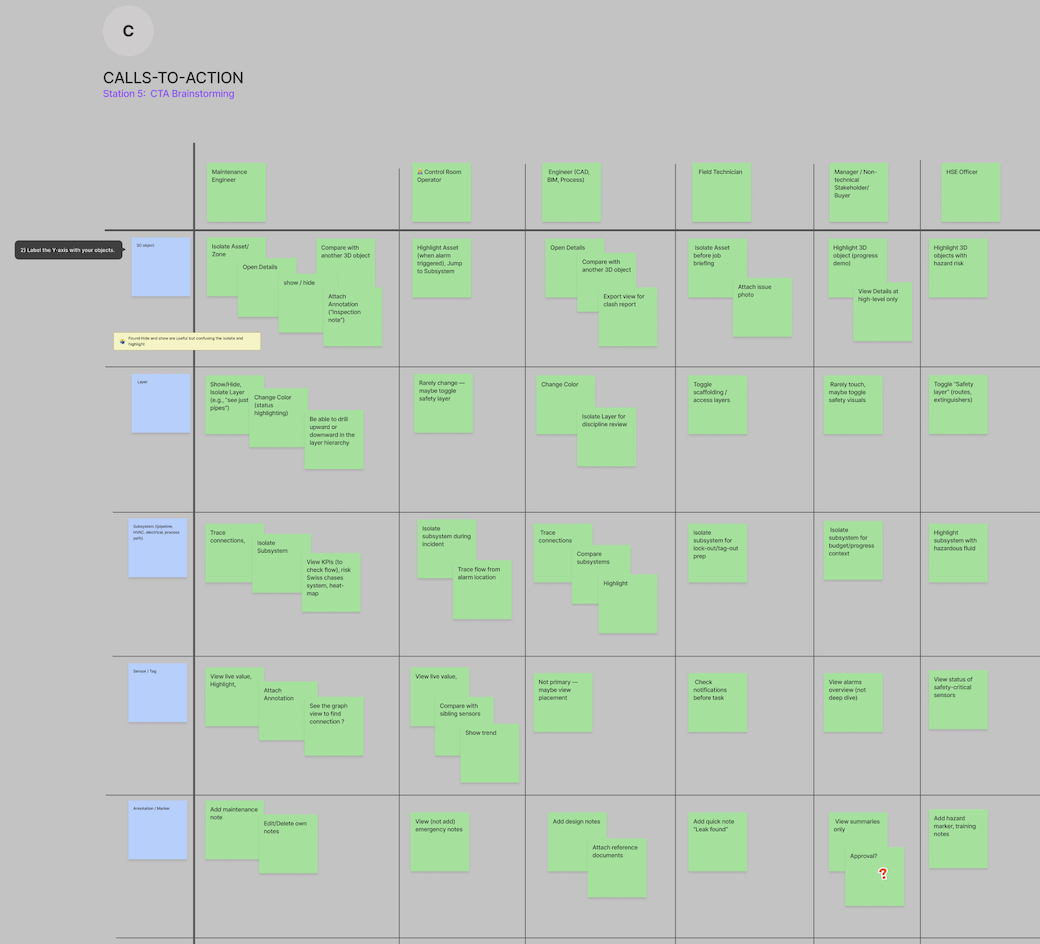
Map out the relationships: What do users actually want to do?
This part of OOUX was the most revealing. Across all personas (Maintenance, Control Room, HSE, Commissioning, Data Analysts), the desired actions were remarkably consistent:
Top CTAs across personas:
-
Isolate asset
-
Highlight subsystem
-
Show/hide layers
-
Trace connections
-
Compare one object to another
-
Add annotations
-
Share report
-
View live data
-
Change color for safety or discipline
-
Toggle emergency info
-
View design notes
-
Export view
This clarified something crucial:
👉 Isolate & Highlight are not standalone features. They are part of a larger cluster of “focus & inspection actions.”
This means isolation must not break:
-
annotation workflows
-
comparison mode
-
subsystem tracing
-
layer toggling
-
safety color coding
-
live sensor values
This massively influenced redesign scope.
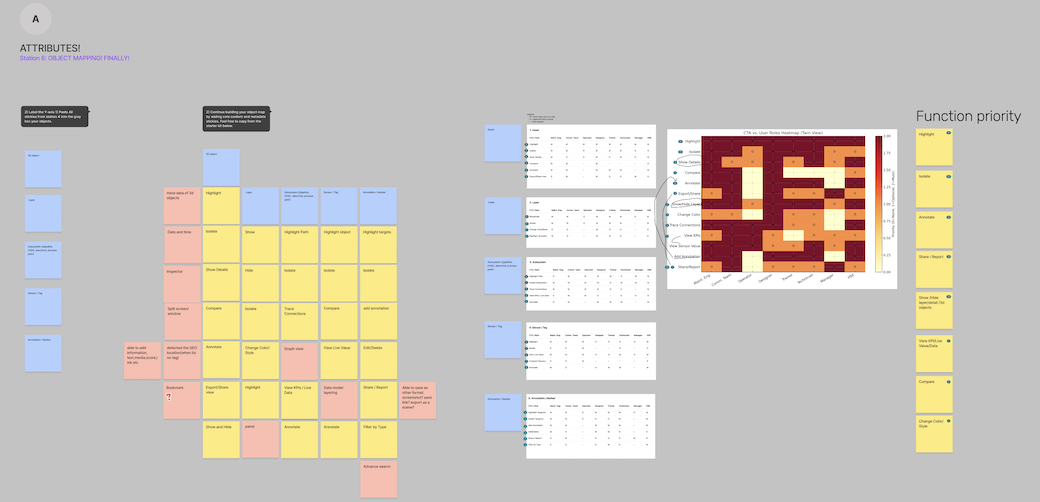
Attributes Mapping: What makes each object meaningful?
For each object, we listed intrinsic and extrinsic attributes:
Example: 3D Asset
-
Tag ID
-
Discipline
-
Type (valve, pump, tank)
-
Connected objects
-
Hazard rating
-
Maintenance status
-
Bounding box
-
Visibility state
-
Highlight state
-
Isolate state
Example: Highlight Action
-
Color
-
Intensity
-
Target object
-
Duration (persistent vs temporary)
-
Layer behavior
-
Connected context
Example: Annotation
-
Author
-
Timestamp
-
Linked object
-
Photo / note
-
Visibility rule
This revealed a major flaw:
👉 Isolate/Highlight were treated as “actions” but behaved like “attributes.”
This led to collisions where isolate overwrote highlight, or filters wiped both out. The system didn’t understand the hierarchy — and neither did users.
What OOUX Made Clear
- Isolate/Highlight are not “buttons.” They’re object attributes. They must be managed consistently across all object types.
- Context cannot be thrown away. Hard-hiding everything breaks navigation and spatial memory.
- Relationships matter more than color.Engineers need to see connections — not just highlighted geometry.
- A unified state system is required. Every object needs predictable rules:
-
What happens when it’s isolated?
-
What happens when it’s highlighted?
-
How does it behave when filters are applied?
-
Do annotations persist?
5. The redesign must support cross-persona actions.
- A field technician isolates to inspect.
- A control room operator highlights to compare flow.
- A safety engineer highlights hazardous substances.
- A commissioning engineer isolates to attach documentation.
- A one-size-fits-all behavior was never going to work.
OOUX revealed why — and how to fix it.
Resulting Design Principles
From OOUX, we defined clear principles for the redesign:
1. State awareness is always visible. A persistent top bar shows active isolate/highlight/filter states.
2. Preserve context. Use ghosting/dimming instead of hard-hide.
3. Respect relationships. Connections and parent objects remain visible.
4. Every state is reversible. One-click reset must always work.
5. Annotations are protected. State changes never remove annotations.
6. Cross-mode consistency. Isolate, highlight, select, and filter follow shared rules.
Redesign Goals
-
Clear state indicator
-
Expected visual behavior
-
Context preserved
-
Real-world object relationships
-
One-click recovery
-
Annotation safety
Reflection
This redesign is still in progress — but OOUX made the invisible visible.
It revealed that the real problem wasn’t highlight or isolate themselves — it was the lack of object boundaries, relationships, and cognitive safety.
The next phase will involve:
-
Internal usability testing
-
A/B visual explorations of highlight & isolate
-
Engineering feasibility discussions
-
Optional AI-based “smart isolate” suggestions
Our goal remains:
Make 3D usable — not impressive.
Make interactions trustworthy — not surprising.
Make TwinView a tool engineers rely on every day.
Key Takeaways
-
Isolate & Highlight weren’t UX problems — they were object-model problems.
OOUX showed that the feature broke because the system treated visual states as actions, not as part of the object structure.
-
Users think in real-world objects, not UI states.
Pumps, pipes, layers, subsystems, sensors — not “highlighted” vs. “isolated.”
The redesign aligns with how engineers mentally categorize the plant.
-
Context matters as much as focus.
Hard-hide isolation disorients users. Ghosting, relationships, and preserved connections maintain spatial understanding.
-
State awareness must always be visible.
A persistent state bar and unified rules reduce confusion, mistakes, and mistrust.
-
Isolate/Highlight are part of a larger “Focus & Inspection” cluster.
Tracing connections, toggling layers, comparing objects, and annotating must work seamlessly together.
-
The redesign is not cosmetic — it’s structural.
Fixing isolate/highlight required rethinking the underlying object system, not adding UI on top of broken rules.
-
OOUX provided clarity, confidence, and direction.
It gave a shared language for UX, engineering, and SMEs to align on how 3D objects should behave in real workflows.

Object-Oriented UX (OOUX) for digital twins: insights to support scalable 3D view

Design insights: how users interact with Split Screen in digital twin

Designing SaaS for digital twin: how discovery shaped the solution
(47) 41 33 16 51
Reach Me By Phone
Email Me
Rølivegen 367, Steinkjer, 7718, Trøndelag
📍 Based in Norway