
Object-Oriented UX for Scalable 3D Systems: Aligning Teams on a Shared Experience Framework
When complex visualization platforms scale, alignment often breaks faster than code.
This initiative wasn’t about polishing interfaces — it was about establishing a shared understanding between leadership, design, and engineering for a multi-product 3D environment.
Case Type: Strategic Design Alignment (Vision Pitch)
Tags: System Design Information Architecture Digital Twin OOUX 3D UX

The Challenge
As our visualization platform expanded to handle multiple 3D data types and external information sources, the interface began to strain under its own complexity.
Different teams used inconsistent naming conventions, duplicated logic, and lacked a shared understanding of what a “core object” actually represented.
Before this initiative, every group saw the 3D environment differently:
-
For developers, it was primarily a rendering feature.
-
For designers, a visual workspace.
-
For leadership, a strategic differentiator.
These perspectives rarely converged, leading to fragmented priorities and unclear feasibility.
My challenge was to translate that complexity into shared clarity — bridging technical architecture and user experience, while maintaining full confidentiality and avoiding exposure of client or system data.
(The example below illustrates a recreated 360° interaction case — a mock representation of the usability issues identified in early testing, not an actual system screenshot.)
Confidentiality Notice:
This case study has been anonymised to comply with my confidentiality obligations under the Company Personal Declaration of Secrecy.
Product and system names have been generalised, and all visuals are conceptual or recreated for demonstration purposes.
All visuals shown in this case study were generated using AI tools and do not depict any real products, data, or systems. They serve solely as illustrative representations to support the design narrative. No confidential or proprietary information has been used or disclosed.
Before: Confusing mode activation
Earlier navigation modes offered little feedback or clarity about state changes.
I proposed a contextual navigation toggle that adapts automatically to user intent, giving immediate visual feedback and reducing mode confusion.
Result: navigation felt “right” without explicit explanation — unifying the mental model.
Before: Messy , inconsistent interaction pattern
After: Contextual navigation toggle
- To reduce mode confusion, I proposed a contextual toggle system that adapts navigation behaviors based on user intent.
- Instead of hidden states, the new design lets users enter a preset environment
(for example, inspection or explore mode). Each environment activates the most relevant navigation style automatically — flying, walking, or orbiting — while providing subtle visual feedback.
“We don’t need to teach users what mode they’re in — it just feels right.”
After: Unified the mental model.
The Goal
The initiative aimed to deeply understand how users interact with large-scale 3D environments in an industrial visualization platform.
My objective was to uncover hidden usability barriers, clarify visual and interaction patterns, and translate these findings into scalable UX recommendations for future visualization products.
Serving as the bridge between design, product, and engineering, I aligned user insights with technical realities and business goals — ensuring that design decisions not only improved navigation, interaction, and clarity, but also helped operational teams work with complex spatial data more efficiently and confidently.
My Role

Role:
Lead UX Designer — System Visualization & Product Experience
Timeframe:
2024–2025 (foundation phase for upcoming UX/UI evolution)
Team:
-
UX & UI Designers
-
Product Managers
-
System Engineers and Visualization Developers
-
Key Stakeholders across Product and Technology
Scope of work:
- System experience audit and usability review
- User research and insight synthesis
- Interaction model and information architecture design
- UX recommendations and concept prototyping
Key methods:
- Vision Type
- Object-Oriented UX (OOUX)
- User interviews and journey mapping
- Workflow mapping and opportunity analysis
- Sprint-style workshops for alignment
- Low- to high-fidelity prototyping
Process Highlights- Quick Navigation (Click to View Each Step)
Vision Type
Before introducing frameworks and object models, the team first needed a shared vision of what a scalable 3D experience could mean.
Different groups envisioned different futures — some focused on visual fidelity, others on usability or platform scalability.
To bridge those perspectives, I designed a Vision Type exercise: a rapid, low-fidelity exploration that encouraged everyone to imagine possibilities without debating feasibility.
“Let’s explore to align — not to decide.”
We used visual metaphors — layers, portals, and “objects as doors” — to help participants see the experience from a user’s point of view, not only a technical one.
This exploration produced a unifying phrase that captured our intent:
“A 3D environment where every object understands its context.”
That simple statement became the north star for subsequent design decisions — influencing how we approached naming, navigation, and interaction patterns throughout the project.
Step 1 – Sense-Making
In this phase, I mapped how the 3D visualization environment was used across different products and operational contexts to understand its role in users’ day-to-day workflows. (Detailed examples and screenshots have been intentionally omitted to comply with confidentiality obligations.)
Step 2 –Discovery Interviews:
Understanding Users
Because of strict confidentiality and safety protocols, no recordings or screenshots could be shared externally. Instead, I conducted contextual discussions with internal experts — including engineers, visualization specialists, and product leads — to capture recurring pain points and mental models.
Designing for industrial visualization systems means designing for professionals who depend on accuracy, speed, and clarity — often in demanding operational environments.
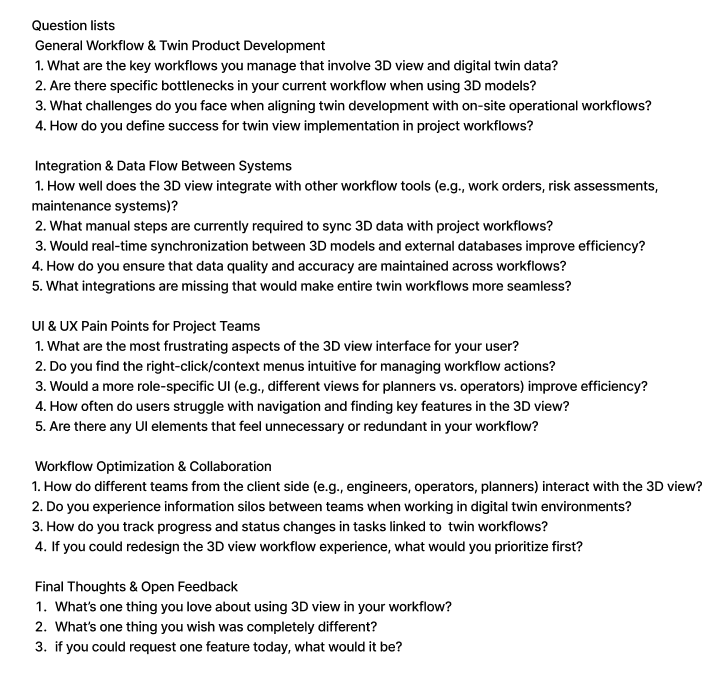
Before exploring features, I focused on understanding how users actually interact with 3D information in their daily routines.
Through these sessions, several consistent patterns emerged:
-
Frequent context switching between 3D environments, image views, and document references.
-
Confusion around navigation modes (such as orbit, walk, or fly).
-
Limited recovery options when errors occurred — users often restarted their view to re-establish context.
-
A need for faster, in-context data linking to reduce back-and-forth between systems.
Even without exposing raw data, the anonymized insights made one theme clear: users weren’t just struggling with tools — they were struggling to maintain mental continuity in complex environments.
To share these findings safely, I translated them into abstracted user flows and scenarios, enabling teams across disciplines to empathize with real behaviors without exposing proprietary information.
“Explore to align — not to decide.”
That principle guided our collaboration: rather than debating interface details, we experienced the user journey together.
By replaying these anonymized journeys during workshops, the team aligned around a shared goal — a system that helps users always understand where they are, what they’re seeing, and what action is possible next.
PM Interviews
Step 3: Define and Map the Objects
Once the early sense-making and interviews were complete, I began consolidating findings into a structured view of how the visualization environment connects people, data, and decisions.
To clarify recurring challenges such as navigation friction and workflow gaps, I applied an object-oriented design lens inspired by OOUX (Object-Oriented UX).
This approach helped translate abstract feedback into tangible relationships between users, actions, and the information they rely on.
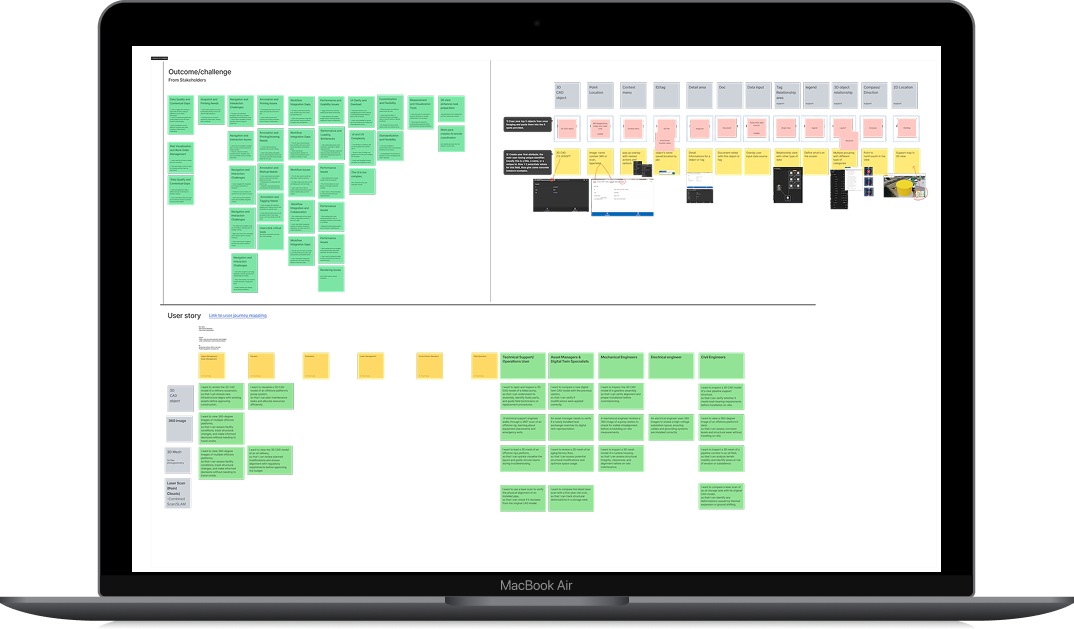
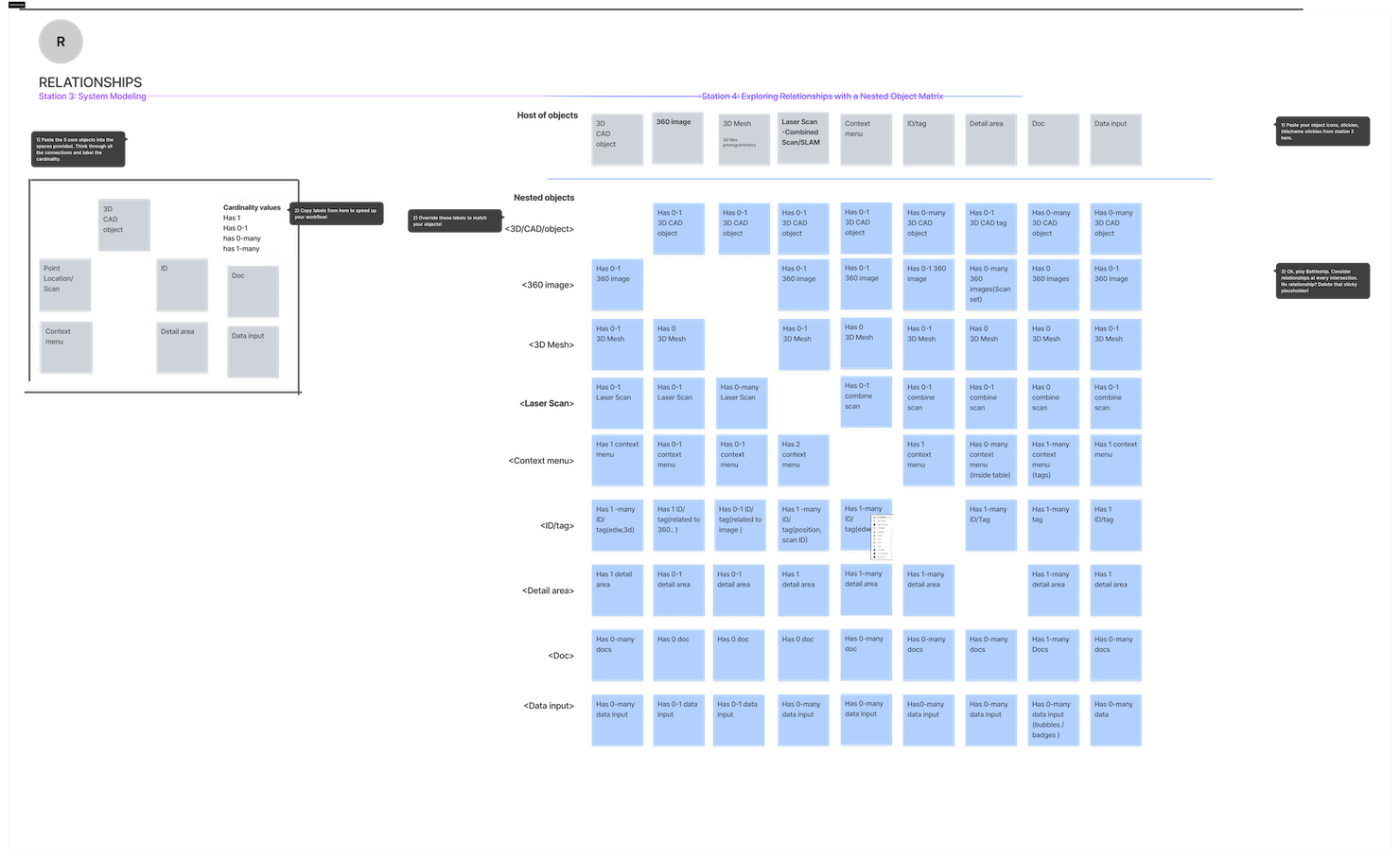
Rather than debating individual interface features, the team and I aligned around shared nouns —the core entities within the system and how they relate to one another.
Through quick whiteboard sessions and collaborative workshops, we identified the key objects, their attributes, and the interactions linking them.
“When we understand the nouns, the verbs design themselves.”
The mapping process revealed dependencies between data types and clarified where misaligned terminology or missing relationships created friction for users.
By reframing the discussion around these shared objects, design and engineering could finally speak a common language about structure, not just surface.
To keep the work compliant and non-sensitive, all diagrams and examples were abstracted versions of the real system, showing logic and hierarchy without exposing any proprietary details.
Key Takeaways
-
Mapping objects rather than screens exposed the real points of complexity.
-
Shared language accelerated collaboration between design, product, and engineering.
-
Abstracted artefacts maintained confidentiality while still communicating system logic.
♠ Note: All visual diagrams accompanying this section were generated using AI tools for illustrative purposes only. They do not represent real system data or architecture.
1 . Problem Statement
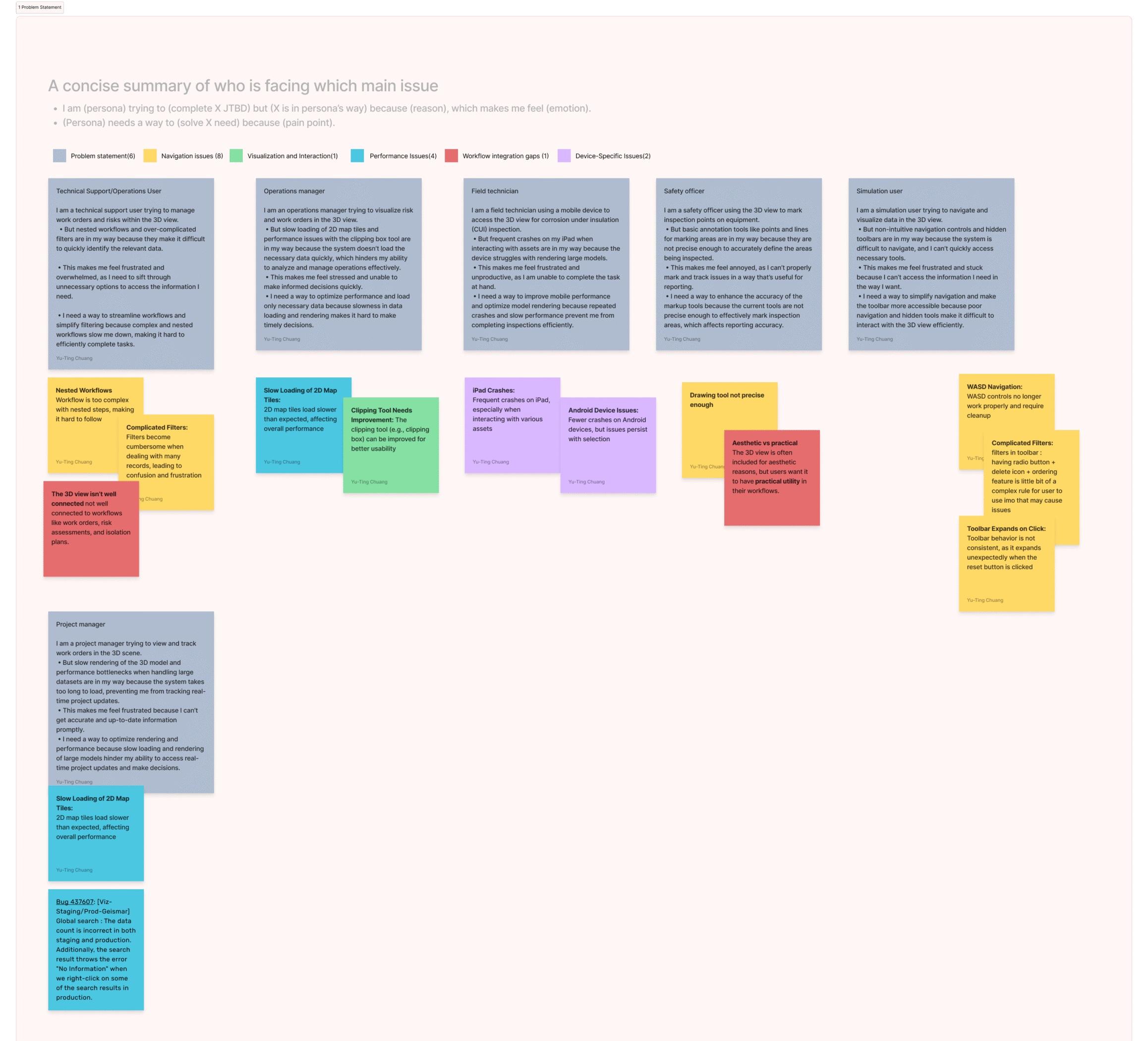
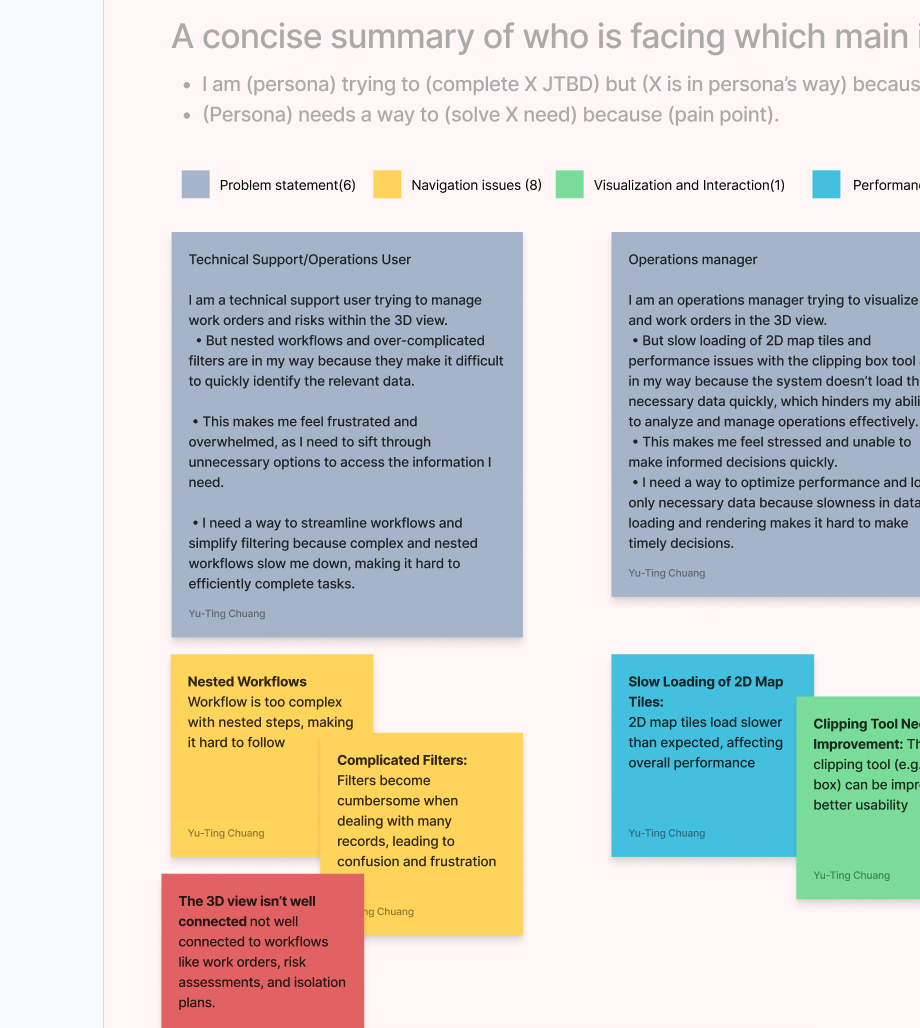
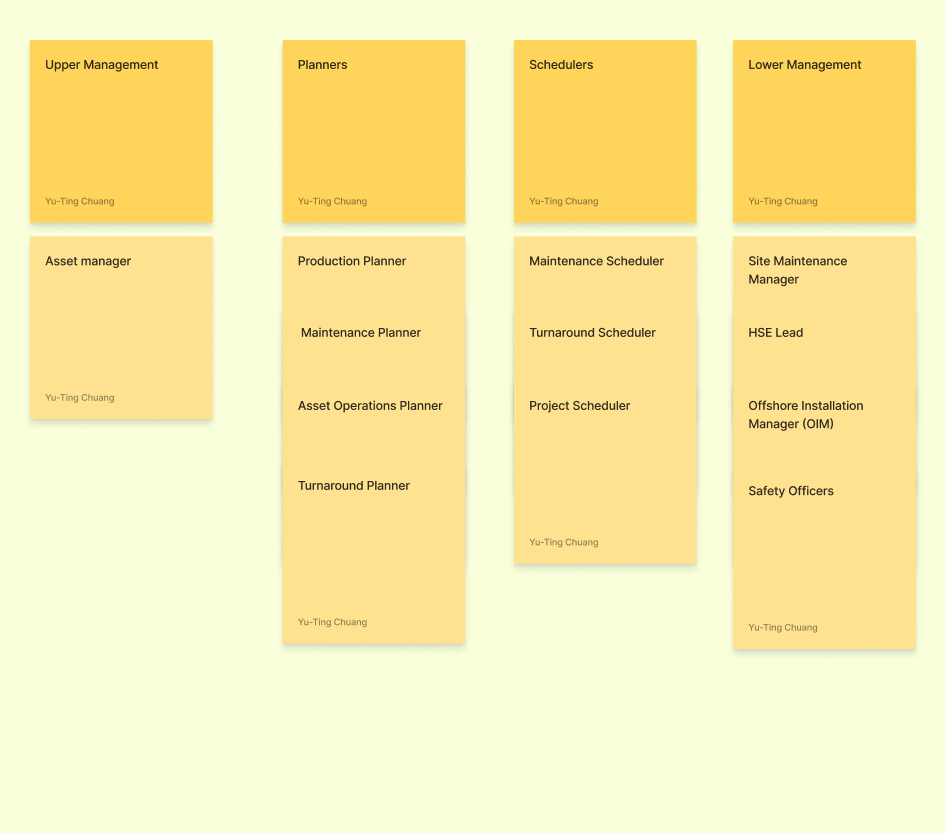
2. Target Audience
3. Audience needs
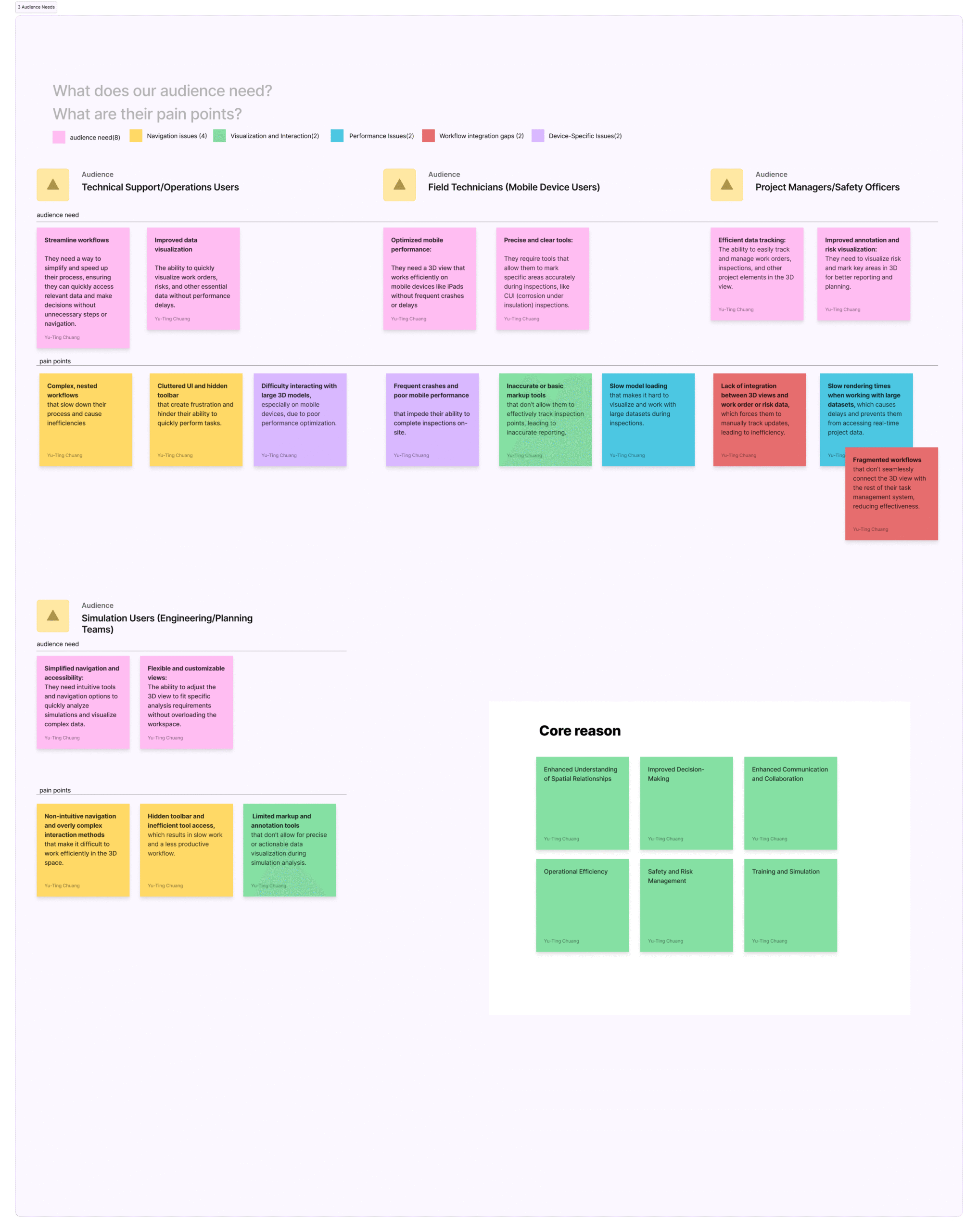
4.Features
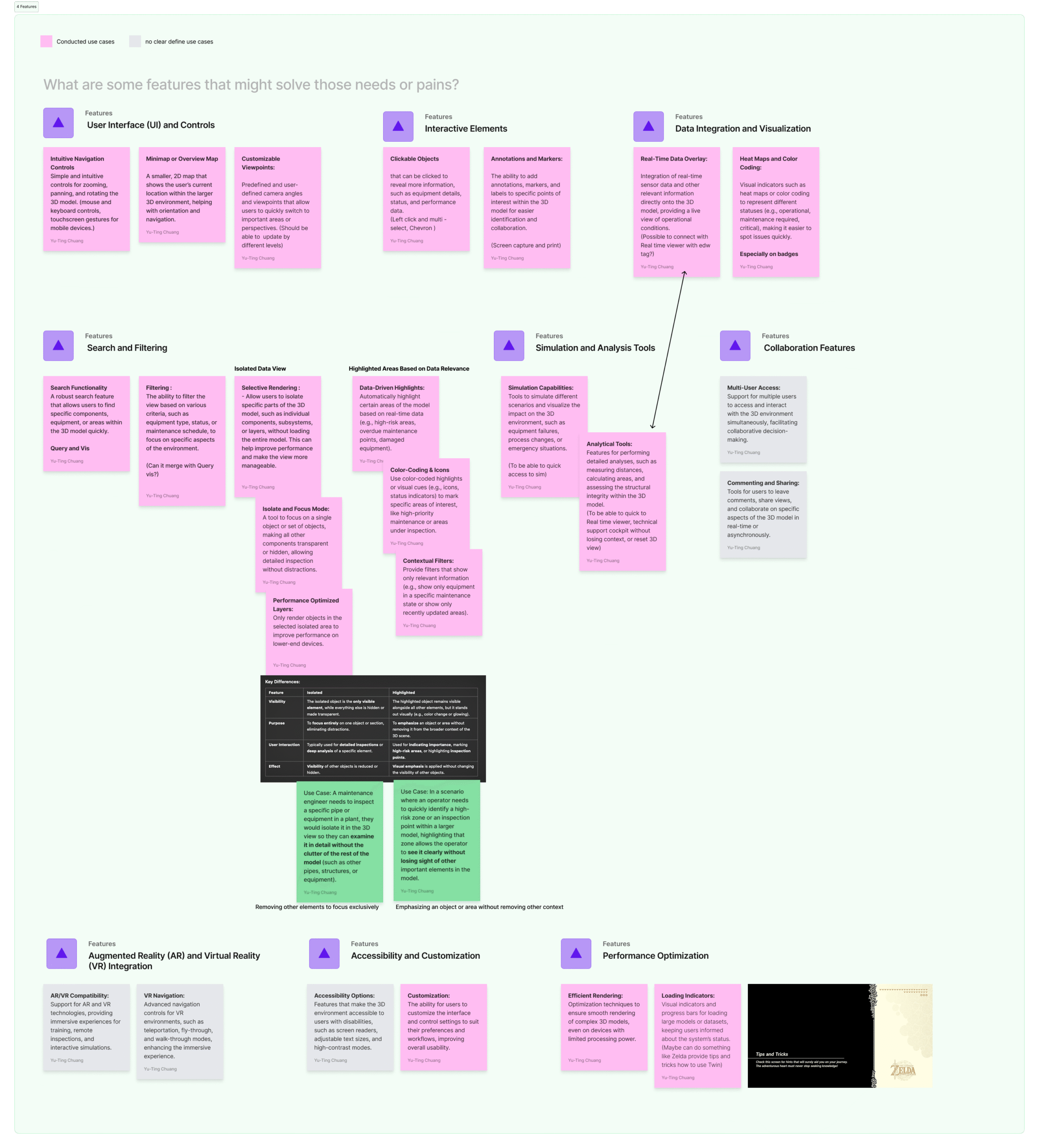
5. Value Proposition
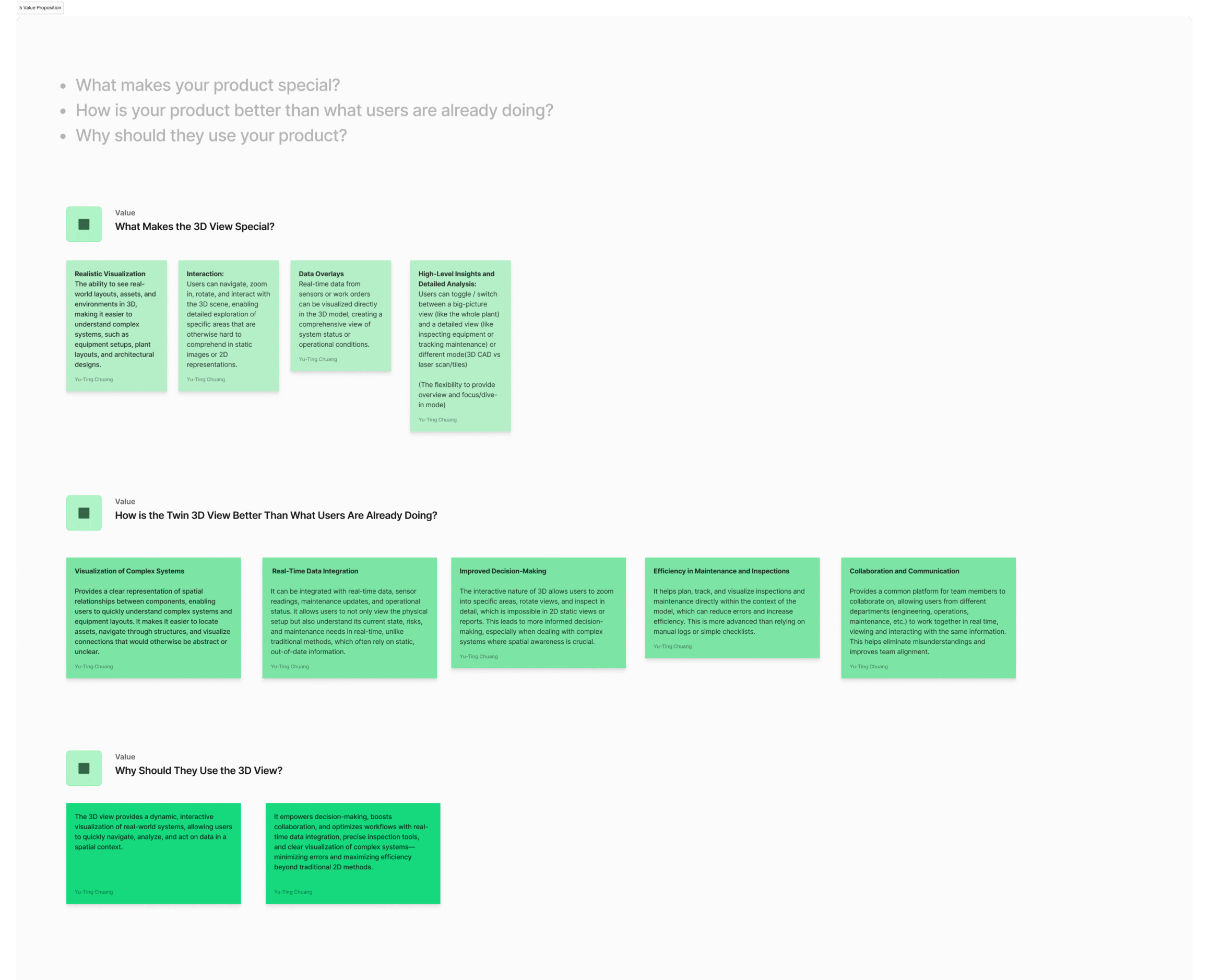
6. Experience Goals and Metrics
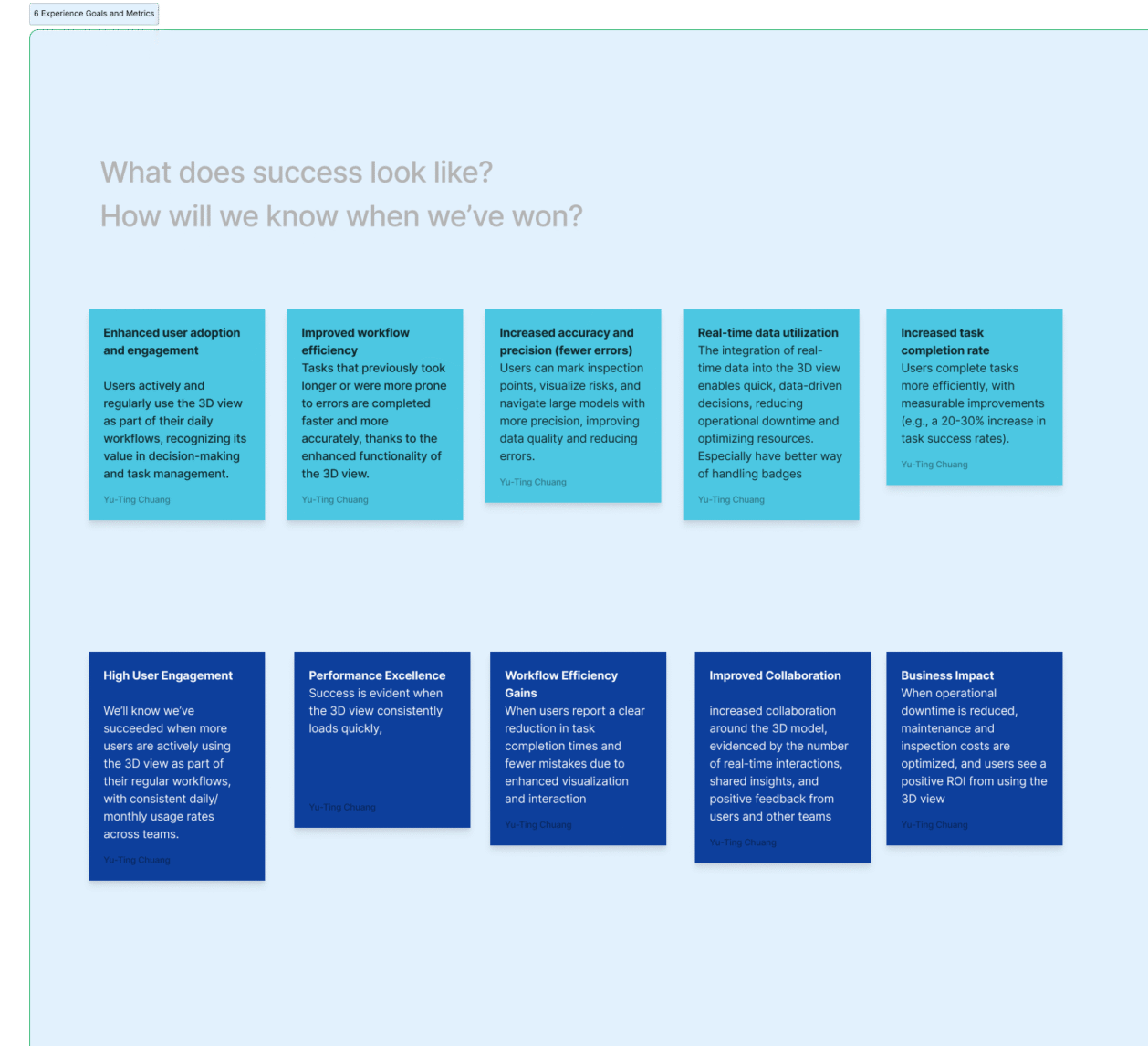
7. Voice of the Customer
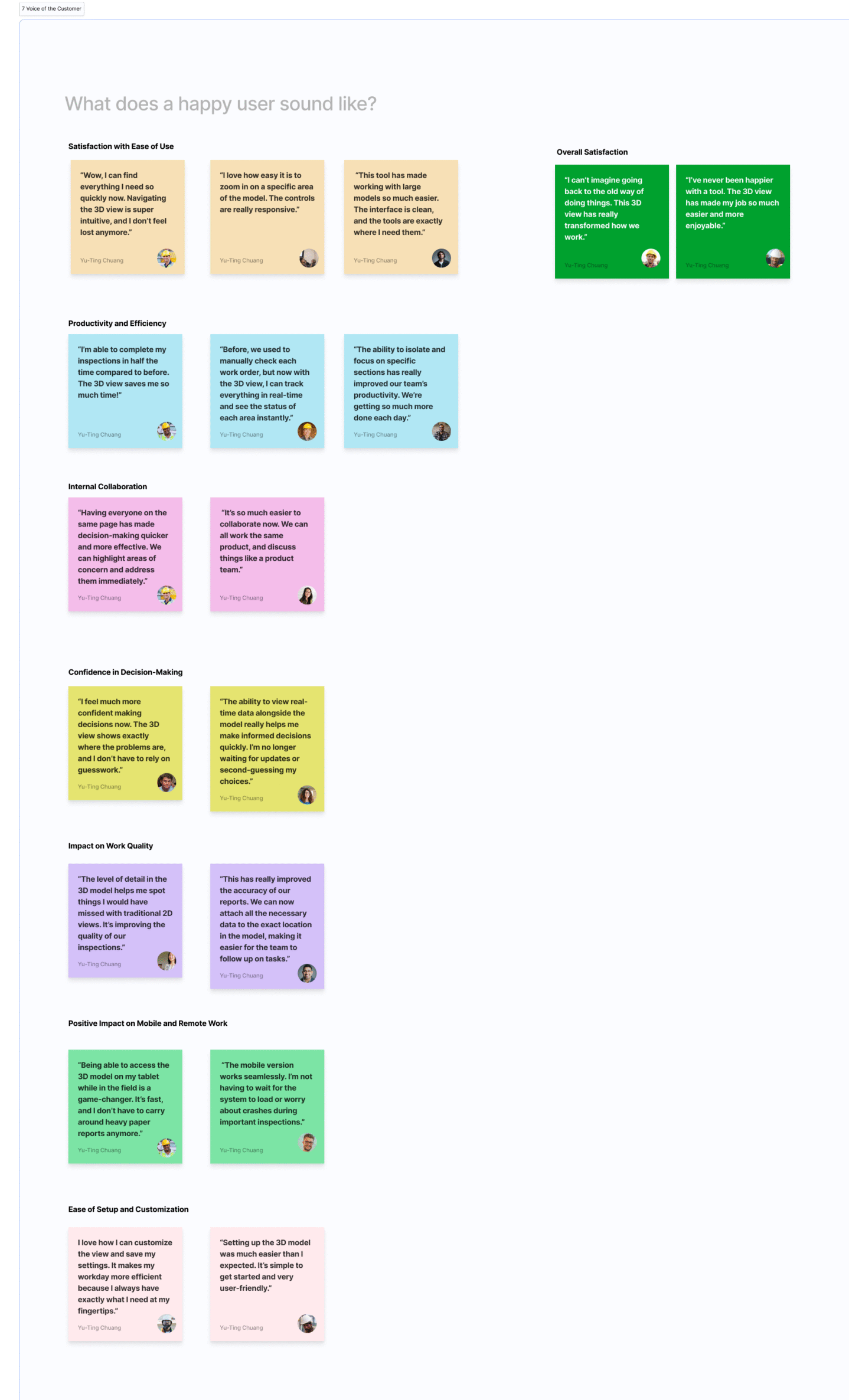
8.Design Principles
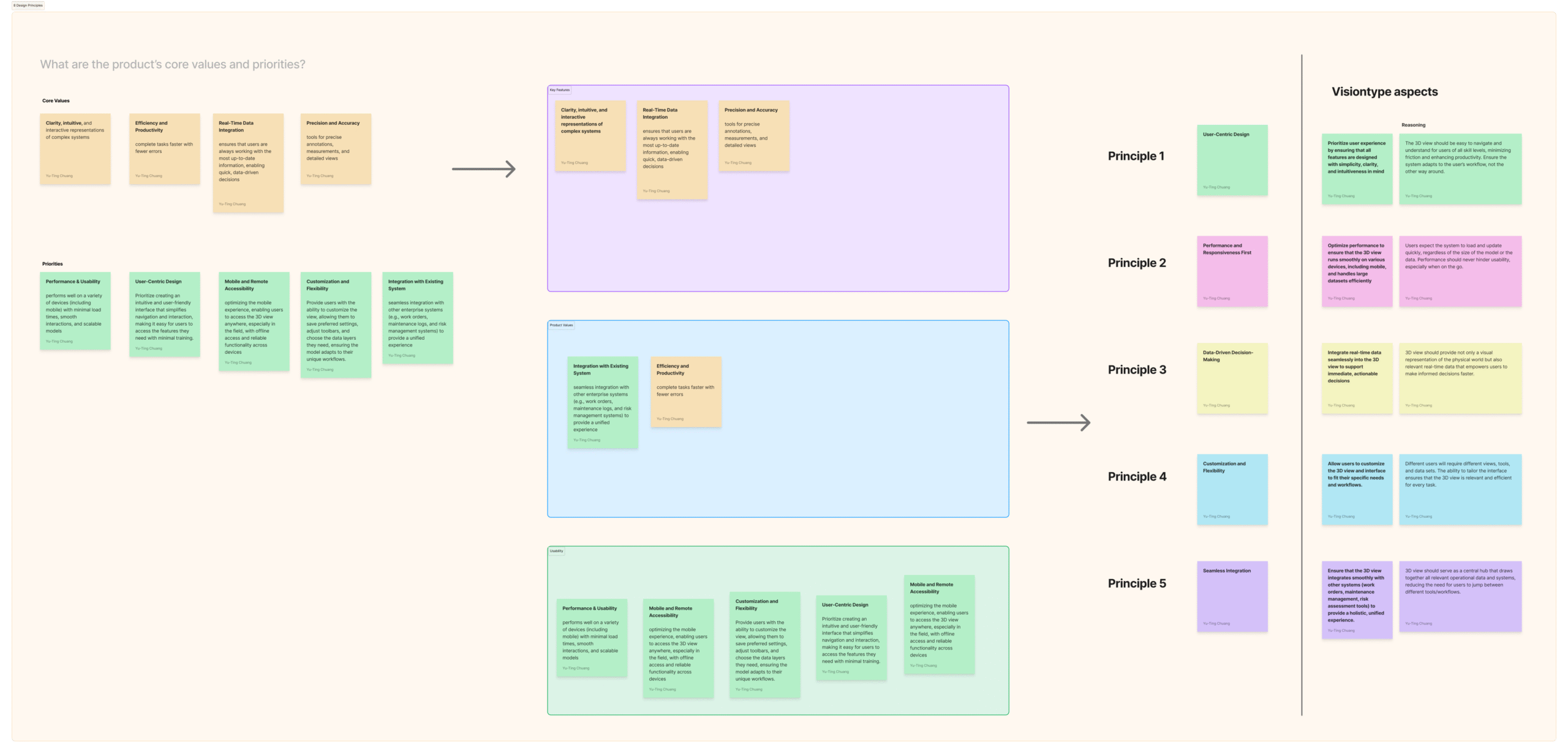
Mapping the Objects
To ground the concept work, I began by mapping how different user groups interact with the visualization environment.
For example:
-
Operational specialists need to review and compare visualized components.
-
Integration teams connect incoming data sources and maintain logical hierarchies.
-
Product leads monitor readiness across multiple initiatives.
By reviewing workflows and observing collaboration patterns, I identified where misunderstandings and inconsistencies occurred.
The key insight was simple but powerful: everyone used the same words — but meant different things.
That realization made the object-oriented approach essential. Rather than debating interface features, we aligned around shared nouns — the conceptual entities that form the foundation of the system. I facilitated a series of collaborative mapping sessions to identify these entities, define their attributes, and visualize how they relate to each other.
While the actual names and data relationships are proprietary, the process followed the Object-Oriented UX (OOUX) framework to help the team unify language, reduce overlap, and create a shared foundation for scalable UX.
“When teams agree on the objects, they naturally align on how the system should behave.”
By the end, the team had a single conceptual map connecting design intent, technical structure, and user goals, building a bridge between UX reasoning and system logic.
♠ Note: All visual diagrams accompanying this section were generated using AI tools for illustrative purposes only. They do not represent real system data or architecture.
OOUX (Object-Oriented UX) mapping
1. Noun foraging
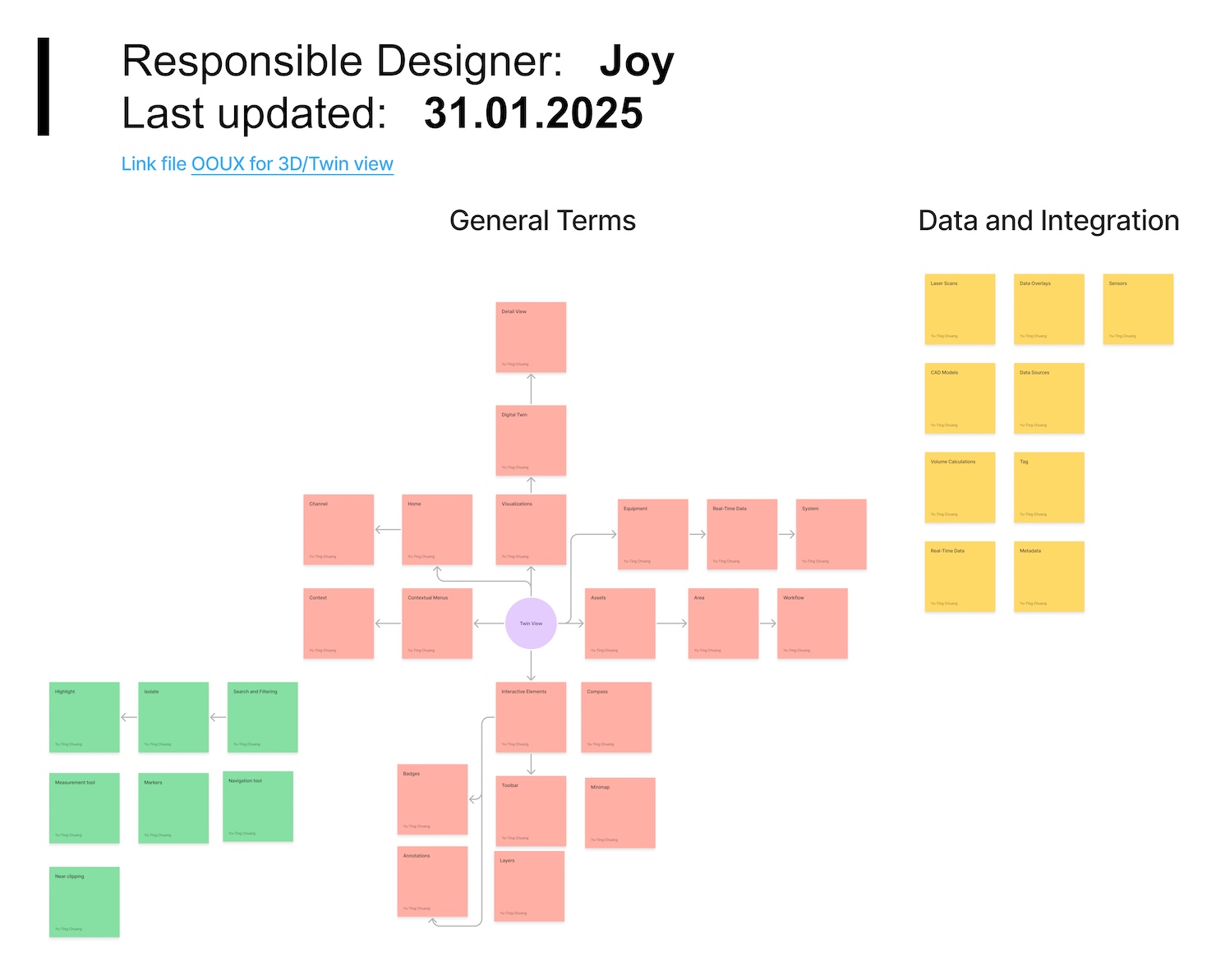
2. Outcome and challenges
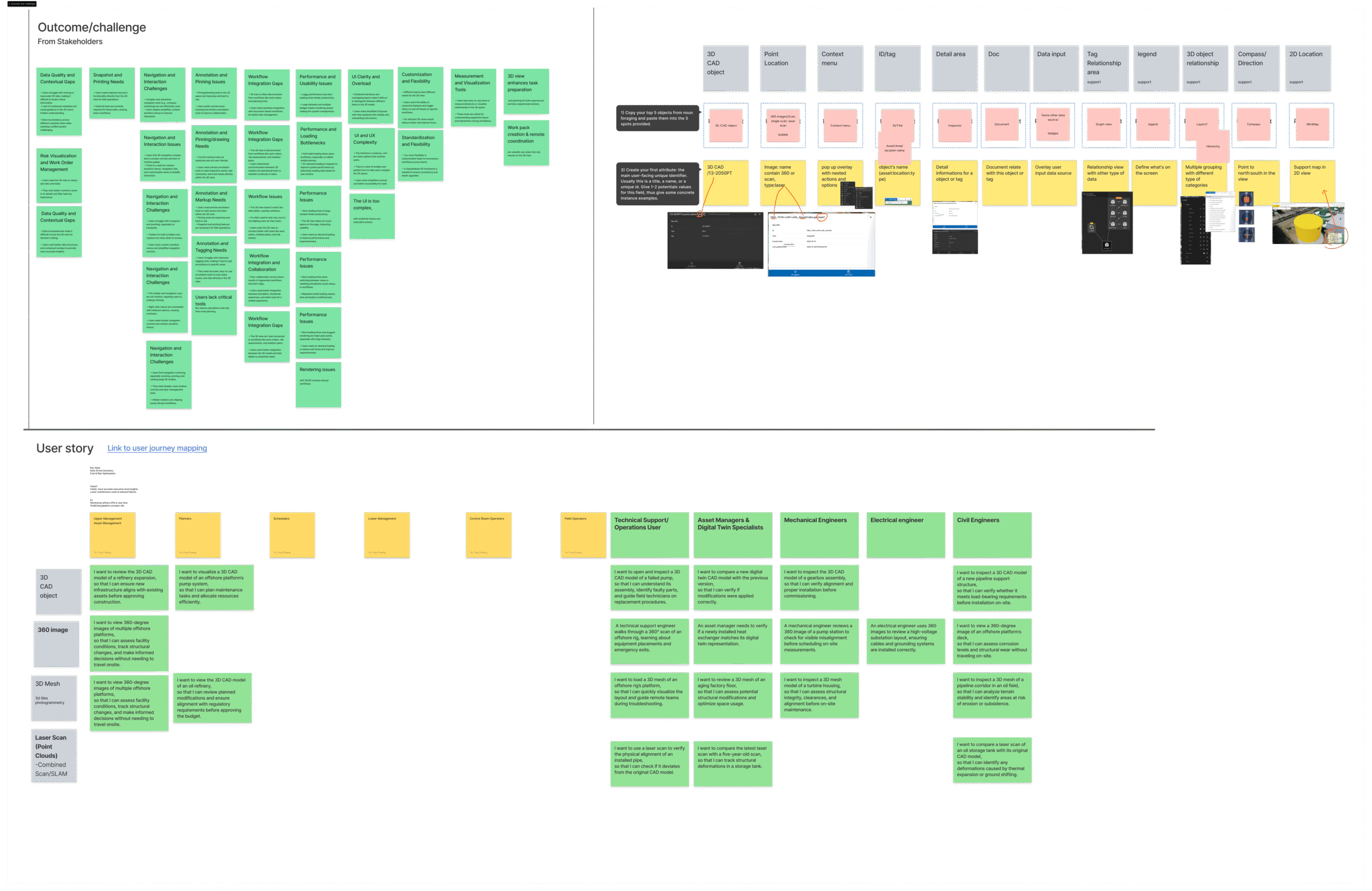
3. Objects sense making
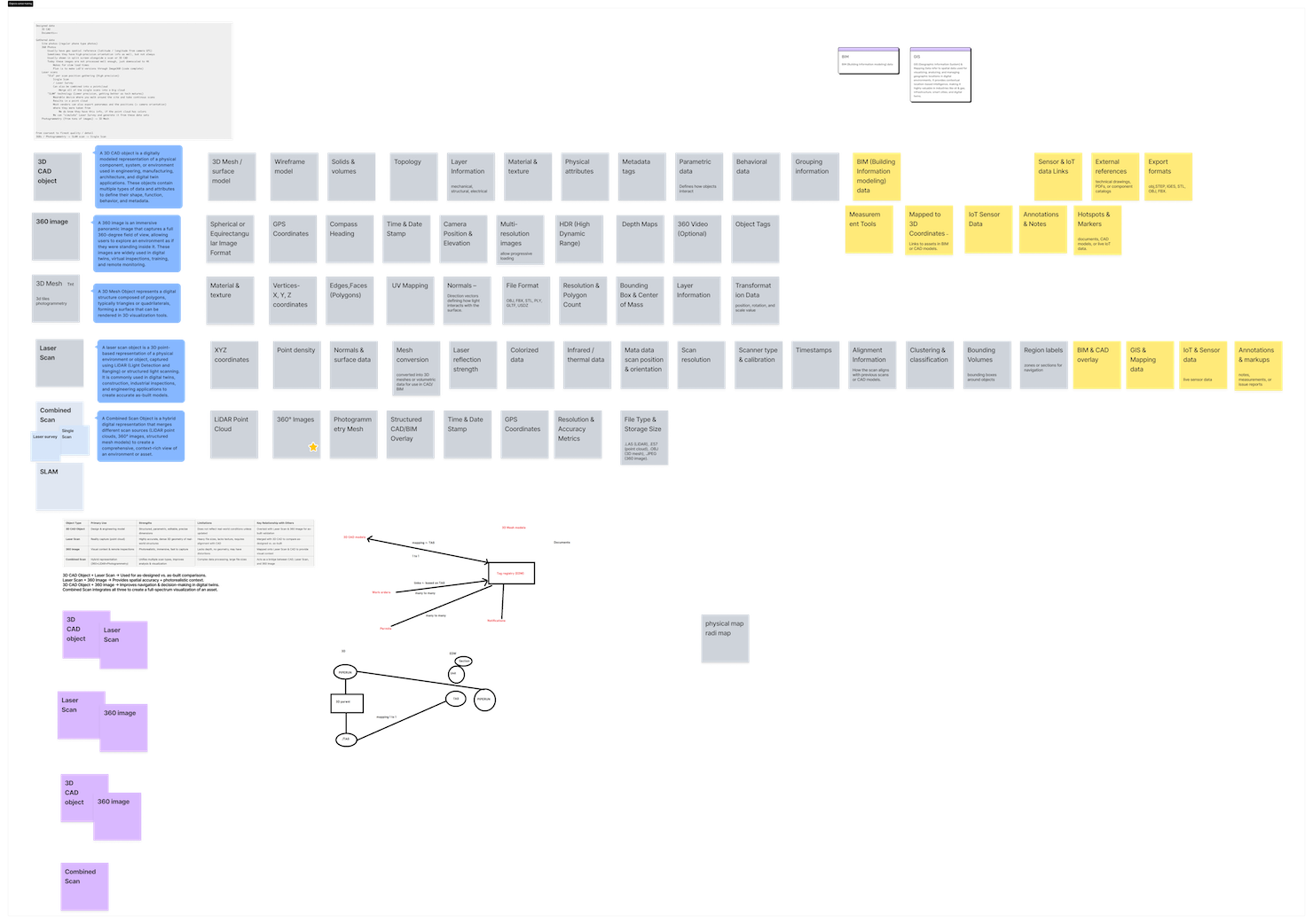
4. Define relationships
5. Call to Action
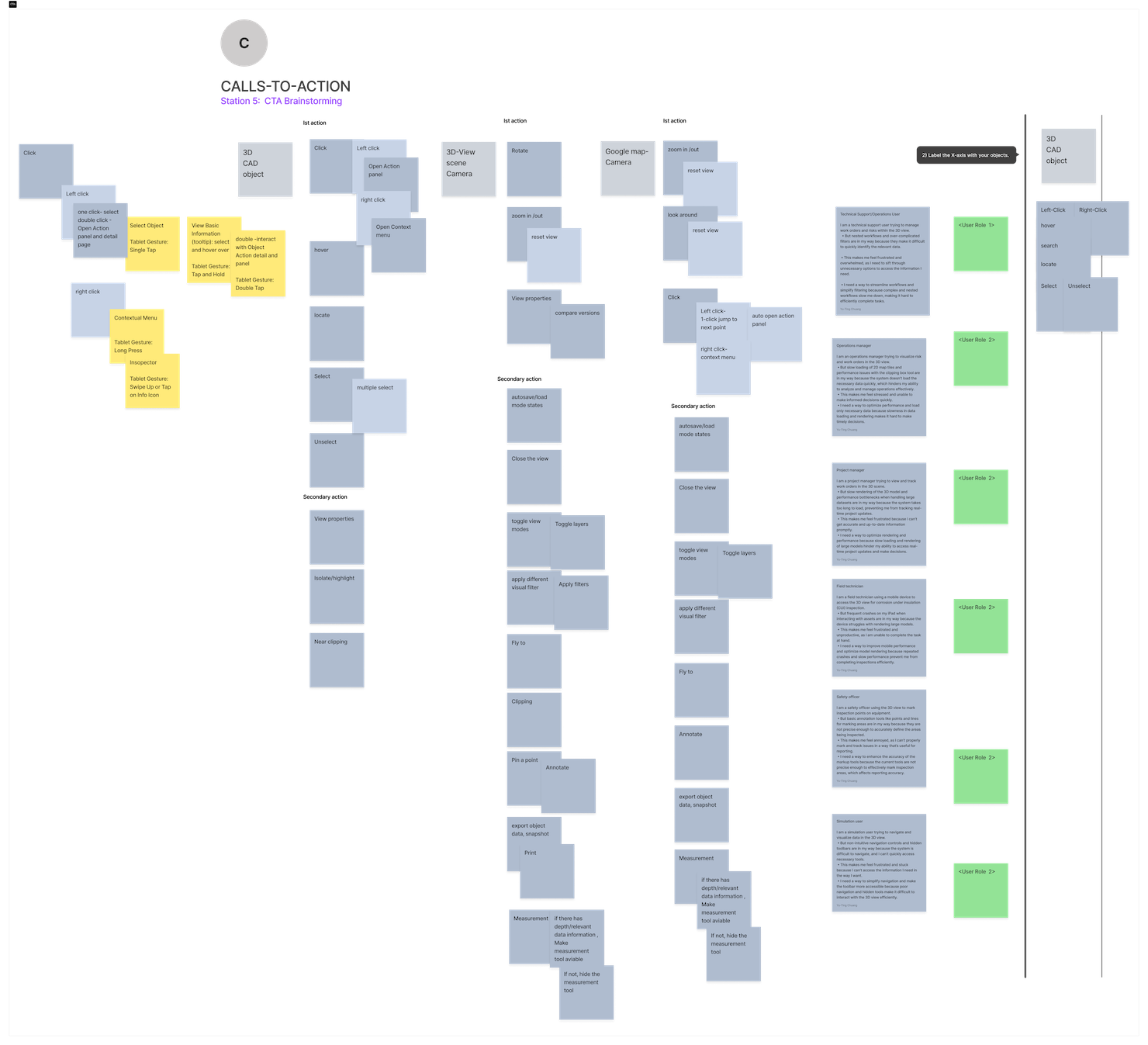
From Object Map to Interaction Model
Once the shared framework was established, we used the conceptual object map to guide design discussions on how users should navigate and interact with complex visual data environments.
Instead of relying on traditional file-based navigation, we introduced a more context-aware exploration model , where selecting a key element dynamically reveals all related information and visual layers within the same workspace.
This approach reduced cognitive load and connected user actions directly to the underlying logic of the system.
Example (abstracted):
Selecting an element now reveals its related visual components, references, and contextual data — all within a single, unified view rather than across multiple separate screens.
Design focus areas:
-
Contextual filtering based on object type or role.
-
Unified side panels that adapt to the selected data or visualization layer.
-
Relationship-based navigation breadcrumbs, ensuring users always know where they are and how to return to previous contexts.
This model not only improved orientation and efficiency but also established a scalable foundation for future multi-view interactions across visualization tools.
♠ Note: All visual diagrams accompanying this section were generated using AI tools for illustrative purposes only. They do not represent real system data or architecture.
Testing and Iteration
Because the system was still in active development, we conducted rapid internal usability sessions with cross-functional collaborators — designers, engineers, and domain experts.
These short, focused rounds allowed us to validate interaction concepts early and refine terminology, hierarchy, and visual structure before implementation.
Key learnings:
-
Terminology clarity: Certain technical terms created confusion for non-specialist users, so we replaced them with more intuitive language.
-
Hierarchy simplification: Deep relational structures caused navigation fatigue; we streamlined them into a clearer, two-level model.
-
Context visibility: Participants wanted to maintain spatial and informational awareness at all times, leading us to introduce a persistent contextual panel that adapts to user focus.
These lightweight tests provided fast, actionable feedback and strengthened cross-team understanding of how conceptual design decisions translate into practical usability gains.
We maintained a weekly prototype iteration rhythm, capturing feedback directly within our design platform and tying every update to specific components and interaction flows.
To ensure transparency and alignment, I also facilitated a monthly open design review session, where cross-functional peers could discuss ongoing work, share insights, and propose refinements.
These regular touchpoints became an integral part of my performance goals — not just as deliverables, but as evidence of building a culture of feedback and continuous improvement.
The open forum format encouraged shared ownership, reduced design silos, and helped transform UX discussions into a natural part of the product development process.
Use Cases Extracted from Findings
Operations & Maintenance — Contextual Focus and Annotation
As an operations-focused user,
I need to temporarily focus on a specific component within a complex environment
so that I can document observations or issues without visual or cognitive distractions from surrounding elements.
Pain Points:
• Difficulty distinguishing between temporary focus and general highlight states.
• Lack of clear visual feedback when entering or exiting a focused view.
• Annotation tools were not easily discoverable within the visual workspace.
UX Opportunities:
• Introduce a consistent mode-indicator system that clearly signals active states.
• Create an inline annotation layer connected to the selected context.
• Add navigation breadcrumbs or other recovery cues to simplify returning to the broader view.
Cross-Theme Findings
| Category | Description |
| Data Quality & Contextual Gaps | Missing contextual cues reduce user confidence and decision accuracy. |
| Navigation & Interaction | Inconsistent behaviors and feedback patterns across user interfaces. |
| Workflow Integration | Limited interoperability with related operational and analytical tools. |
| Annotation & Tagging | Lack of consistent standards or visual conventions for annotations. |
| Performance & Usability | Performance issues and inconsistent responsiveness, especially in demanding environments. |
Implementation Collaboration
Applying the OOUX framework made collaboration with engineering teams far more structured and transparent.
Together, we co-created a shared terminology and reference guide that linked design language with underlying system logic — allowing both disciplines to communicate with clarity and consistency throughout the development process.
Key collaborative outcomes:
• A centralized design glossary ensuring consistent terminology across teams.
• A component specification framework that connects interface behavior with system rules.
• Interaction pattern guidelines to standardize how relationships are represented and handled.
This shared documentation evolved into a living design–engineering contract , a foundation that helped both sides make informed decisions faster, reduce misalignment, and maintain design intent throughout implementation. (Link to System & UX Architecture)
Measuring Impact (within enterprise constraints)
Working within a large-scale enterprise environment meant that direct access to product analytics and user telemetry was beyond our team’s immediate scope.
Instead, we focused on behavioral signals, cross-team adoption, and qualitative validation to evaluate how the new structure improved collaboration and usability in practice.
Our primary goal was to ensure that the OOUX framework and interaction model helped users feel more in control — while also enabling designers, engineers, and domain experts to share a unified design language.
|
Challenge |
Change Introduced |
Evidence of Impact |
|---|---|---|
|
Unclear navigation behaviors |
Introduced contextual feedback and visual state indicators |
Internal participants reported smoother navigation and fewer mode-switching errors |
|
Inconsistent terminology across disciplines |
Created a shared OOUX glossary and unified language guide |
Teams now reference the same object definitions during design–engineering discussions |
|
Fragmented access to information |
Consolidated related content into context-aware panels |
Stakeholders reported fewer context losses and improved task continuity during validation sessions |
|
Slow onboarding for new team members |
Developed a visual object map and system overview |
New contributors reported faster understanding of system logic and reduced dependency on ad-hoc guidance |
Even without quantitative analytics, these outcomes reflected a measurable increase in clarity, consistency, and shared ownership across disciplines.
By shifting the mental model from file-based workflows to object-based interaction, the team began to experience the platform as a connected ecosystem — rather than a set of isolated tools.
“We finally talk about the same objects, not just the same screens.” — Team Member
The next phase will include structured usability testing and data-driven validation to assess improvements in:
-
Task flow efficiency across complex visual environments
-
Navigation accuracy and recovery rates
-
Cross-view linking and contextual awareness
These metrics will further validate what our qualitative signals already show — that clear structure and shared understanding lead to faster workflows, reduced friction, and stronger trust in the system.
Impact/Outcome
Although the work is still in internal testing, early feedback has been very encouraging:
√ Engineers reported fewer mismatches between design specifications and underlying system structures.
√ Designers found it easier to maintain consistency and reuse interface components effectively.
√ Stakeholders gained faster understanding of system logic through visual mapping, reducing the need for lengthy documentation reviews.
By applying Vision Typing, Object-Oriented UX, and other discovery methods, I led a structured deep dive to uncover how different user groups interact with complex visual environments.
Introducing this research-driven approach was a significant shift for the organization, but the visualization team’s openness and collaboration made it possible to explore new methods with confidence.
Together, we facilitated a co-creation workshop that generated actionable ideas for how the visual interaction model could evolve — and more importantly, helped the broader team align around a shared vision for the future of spatial user experience.
This foundational research became a baseline reference for upcoming UX improvements, directly shaping future roadmap priorities and influencing how modular components are structured and experienced across products.

What I Learned
This project reminded me that scalable UX begins with shared language, not just polished interfaces or journey maps.
In complex, data-rich systems, every view represents a web of relationships — and aligning those relationships is the real design challenge. By combining Vision Typing with Object-Oriented UX, I learned how to bridge system thinking with human understanding.
The work was never just about visualization — it was about making invisible structures visible and navigable, turning abstract logic into a shared story that product leaders, designers, and engineers could all understand, believe in, and build from.
Ultimately, design leadership means creating clarity before creation — ensuring that everyone sees the same system before they start shaping it.
Follow more on
Step 4: Workshop with 3D VisionType , Opportunity Solution Tree mapping

Facilitating a sprint workshop for 3D View

Aligning teams through vision exploration

From problems to priorities: using the opportunity solution tree in core teams
(47) 41 33 16 51
Reach Me By Phone
Email Me
Rølivegen 367, Steinkjer, 7718, Trøndelag
📍 Based in Norway